Robotic Process Automation in Manufacturing: A Complete Guide
Robotic Process Automation in Manufacturing is helping manufacturers improve operational efficiency by automating repetitive, rule-based digital tasks across their business and production-support processes. As manufacturing organizations adopt digital technologies, they are looking for ways to reduce manual data entry, improve information accuracy, accelerate administrative activities, and connect different software applications.
Manufacturing operations involve much more than physical production. Behind every production line are purchasing activities, inventory updates, supplier communications, order processing, quality documentation, maintenance records, production reports, and financial transactions. Many of these activities require employees to move information between different software systems. When performed manually, they can consume valuable time and increase the possibility of errors.
Robotic Process Automation, commonly known as RPA, uses software bots to perform predefined tasks that people would otherwise complete through digital applications. These bots can interact with business software, enter information, retrieve records, generate reports, and transfer data according to configured rules.
For manufacturers, RPA can support processes across procurement, supply chain management, inventory administration, finance, human resources, quality documentation, and production reporting. It can also complement wider industrial automation initiatives by connecting digital workflows with information generated by manufacturing systems.
This guide explains what robotic process automation means in manufacturing, how it works, its applications, benefits, implementation process, challenges, and future trends.
What Is Robotic Process Automation in Manufacturing?
Robotic Process Automation in Manufacturing refers to the use of software-based bots to automate repetitive, structured, and rule-driven business or administrative tasks within manufacturing organizations.
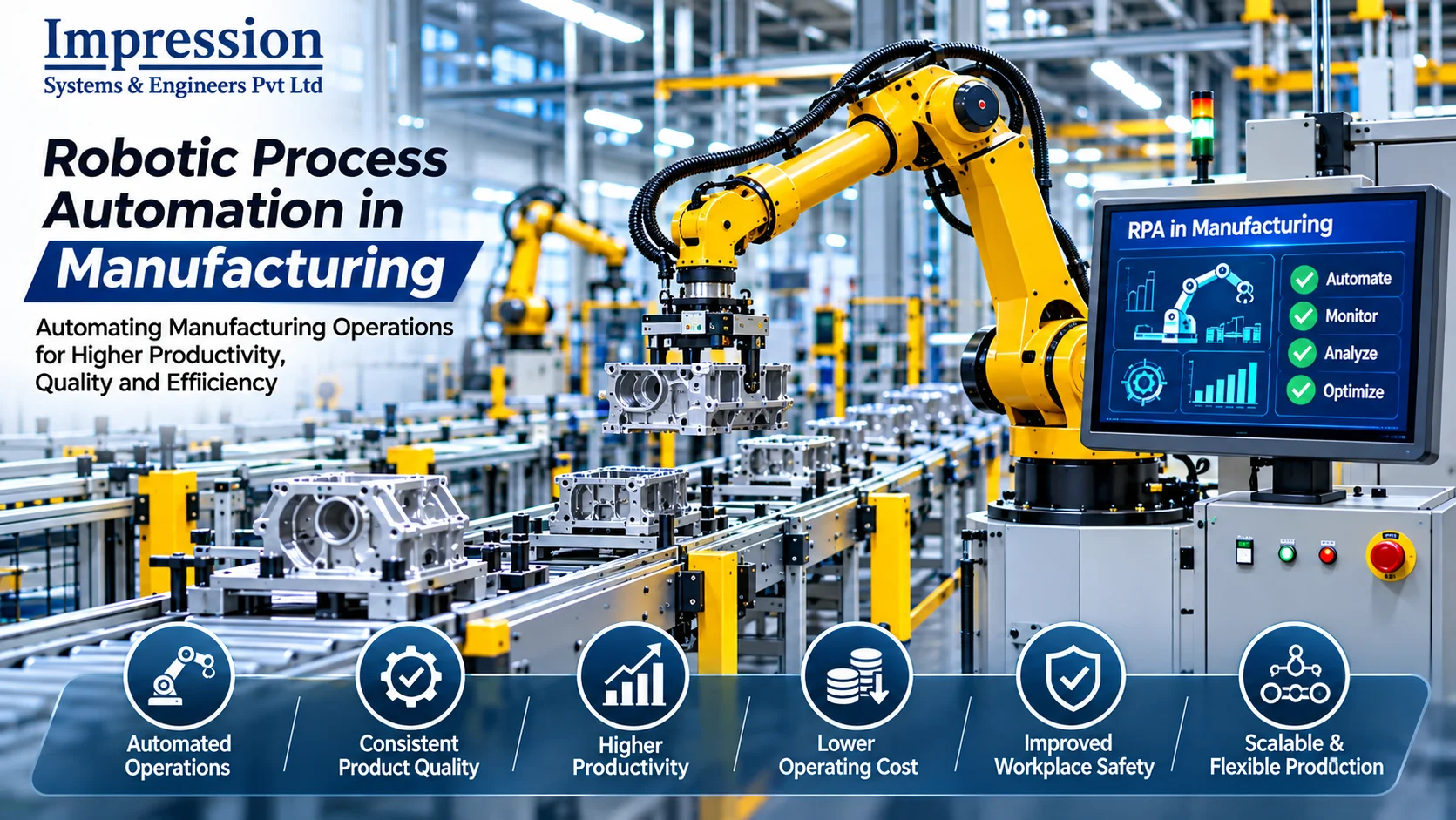
Unlike physical industrial robots, which perform operations such as welding, assembly, painting, and material handling, RPA bots operate through software interfaces. They interact with applications in a similar way to a human user by opening systems, reading information, entering data, processing transactions, and generating outputs.
For example, a manufacturing company may receive purchase orders through email. An employee might manually open each email, extract the order details, enter the information into an enterprise resource planning (ERP) system, and notify the purchasing department.
An RPA bot can be configured to perform suitable steps in this workflow:
- Monitor a designated email inbox.
- Identify messages that contain purchase orders.
- Extract predefined information from the documents.
- Validate required fields.
- Enter approved information into the relevant system.
- Notify the appropriate employee about completed or exceptional transactions.
The exact automation depends on the applications, document formats, business rules, and integration methods available.
RPA is particularly useful when tasks are repetitive, follow predictable rules, and involve structured information. Tasks that require complex judgment, interpretation, or negotiation generally need human involvement or additional technologies.
How Does RPA Work in a Manufacturing Environment?
RPA works by following predefined instructions and interacting with software applications to complete specific tasks.
A typical RPA workflow begins when a defined event occurs. This could be receiving an email, uploading a document, reaching a scheduled time, or creating a new record in a business application.
The bot then executes its configured workflow, processes the available information, and records the outcome.
1. Identifying a Trigger
Every automation workflow needs a starting point. Common triggers include:
- A new purchase order being received.
- An invoice being uploaded.
- An inventory report becoming available.
- A production report being generated.
- A supplier record being updated.
- A scheduled daily or weekly reporting task.
The trigger determines when the bot should begin processing a task.
2. Collecting Information
The bot retrieves information from configured sources, such as emails, spreadsheets, databases, ERP platforms, or other business applications.
For example, an inventory automation workflow may collect stock information from an ERP system and compare it with predefined inventory thresholds.
3. Applying Business Rules
The bot processes information according to configured rules.
For instance, it may check whether an invoice number exists, compare invoice values with purchase order records, or identify missing information.
If the data meets the defined conditions, the workflow continues. If it does not, the bot can flag the record for human review.
4. Executing Actions
After validation, the bot performs the required actions. These may include entering information, updating records, generating documents, sending notifications, or transferring information between systems.
5. Recording Results
A well-designed workflow should record what happened during execution.
Logs may include the task status, completion time, processed records, errors, and exceptions. This information supports monitoring, troubleshooting, and audit activities.
RPA vs. Industrial Robotics: Understanding the Difference
The terms robotic process automation and industrial robotics are sometimes used interchangeably, but they describe different technologies.
Robotic Process Automation uses software bots to automate digital workflows. Industrial robotics uses physical robotic equipment to perform operations in manufacturing environments.
| Comparison | RPA | Industrial robotics |
|---|---|---|
| Main form | Software bot | Physical robot |
| Operating environment | Digital applications | Factory floor |
| Typical tasks | Data entry, reporting, invoice processing | Welding, assembly, painting |
| Inputs | Digital records, files, emails | Sensors, cameras, control signals |
| Outputs | Updated records, reports, notifications | Physical movement or product operations |
| Common integration | ERP, CRM, spreadsheets, email | PLCs, sensors, conveyors, robot controllers |
| Main objective | Automate repetitive digital work | Automate physical operations |
Both technologies can contribute to manufacturing automation, but they solve different problems.
For example, an industrial robot may automatically move a component onto an assembly station, while an RPA bot updates the production record in an ERP system and generates a daily production summary.
A manufacturer may use both technologies as part of a wider digital transformation strategy.
Why Is Robotic Process Automation Important for Manufacturers?
Manufacturers operate through interconnected processes involving production, procurement, inventory, quality, finance, logistics, and customer service. Information must move accurately between these departments.
Manual processing can create delays, duplicated work, inconsistent records, and avoidable administrative effort.
RPA can help address these challenges by automating suitable digital workflows.
1. Reduces Repetitive Administrative Work
Employees in manufacturing organizations often perform recurring tasks such as updating spreadsheets, entering invoices, preparing reports, and transferring information between applications.
RPA can automate suitable rule-based activities, allowing employees to focus more on exception handling, coordination, analysis, and decision-making.
2. Improves Data Accuracy
Manual data entry can introduce errors, particularly when information is transferred between multiple applications.
RPA bots follow configured instructions consistently. Validation rules can also identify missing or inconsistent information before a transaction is completed.
However, automation does not guarantee accurate results if the source data or workflow rules are incorrect.
3. Accelerates Information Processing
RPA can execute suitable workflows automatically when predefined triggers occur.
For example, a bot may process an approved invoice or update an inventory record without waiting for an employee to manually perform each step.
4. Improves Process Consistency
A software bot follows the same configured sequence each time it performs a task.
This helps standardize repetitive activities across departments and locations, provided that the underlying business rules are consistent.
5. Supports Better Operational Visibility
Automated workflows can generate logs, notifications, and reports that help managers monitor task completion and identify exceptions.
This can improve visibility into administrative processes that support manufacturing operations.
Key Applications of RPA in Manufacturing
RPA can be applied across different departments in a manufacturing organization. The best opportunities are usually found in workflows that are repetitive, rules-based, and dependent on information moving between digital systems.
1. Purchase Order Processing
Procurement departments handle purchase requests, supplier quotations, purchase orders, confirmations, and delivery information.
RPA can help automate parts of this process by collecting information from designated sources, entering approved details into procurement software, and notifying employees when action is required.
Possible activities include:
- Extracting purchase order information.
- Updating purchase order records.
- Checking required fields.
- Sending order confirmation notifications.
- Preparing purchase order status reports.
- Flagging missing information.
For example, when a purchase request is approved, a bot may create or update a corresponding record in the procurement system according to the organization’s rules.
Approval of purchases and supplier selection should remain subject to the organization’s authorization process.
2. Inventory Management
Inventory management requires accurate information about raw materials, components, work-in-progress, and finished products.
RPA can automate administrative activities related to inventory records.
Potential applications include:
- Updating stock records.
- Preparing inventory summaries.
- Comparing information from different systems.
- Identifying records below defined stock thresholds.
- Sending replenishment notifications.
- Generating stock movement reports.
For example, a bot can retrieve inventory data from an ERP system and identify materials that have reached a predefined reorder level.
RPA can support inventory administration, but physical stock detection generally requires appropriate scanning, sensors, or other data collection technologies.
3. Invoice Processing and Accounts Payable
Manufacturers receive invoices from suppliers for raw materials, machinery, maintenance, transportation, and other services.
Processing these invoices may involve checking details, entering records, comparing purchase orders, and routing documents for approval.
RPA can automate suitable steps, including:
- Retrieving invoices from email or document repositories.
- Extracting invoice details.
- Entering information into accounting software.
- Comparing invoice records with purchase orders.
- Identifying missing fields.
- Sending exceptions to the accounts team.
- Preparing payment status reports.
Where invoices contain unstructured information, optical character recognition (OCR) or intelligent document processing may be needed alongside RPA.
Financial approvals and payment authorization should follow appropriate internal controls.
4. Production Reporting
Production departments generate information about output, machine utilization, downtime, quality, and shift performance.
Employees may spend considerable time collecting data from different systems and preparing daily or weekly reports.
RPA can retrieve available data, consolidate records, update reporting templates, and distribute scheduled reports.
For example, a bot may collect production information from approved data sources, prepare a shift summary, and send it to designated managers.
The quality of the report depends on the accuracy and availability of the underlying production data.
5. Quality Management Documentation
Quality teams maintain inspection records, non-conformance reports, corrective action documentation, audit records, and quality summaries.
RPA can help organize and process digital quality documentation.
Possible applications include:
- Creating quality report records.
- Updating inspection registers.
- Sending reminders for pending corrective actions.
- Consolidating inspection information.
- Preparing audit documentation.
- Notifying teams about incomplete records.
RPA can support documentation workflows, but it should not replace qualified quality inspections or technical decisions.
6. Supplier Management
Supplier-related activities involve collecting quotations, maintaining supplier records, tracking order confirmations, and monitoring delivery documentation.
RPA can automate repetitive information-processing tasks.
For example, a bot may retrieve supplier confirmation emails, extract delivery dates, update relevant records, and notify procurement employees when expected delivery information is missing.
Supplier evaluation, negotiations, and strategic sourcing decisions generally require human judgment.
7. Maintenance Administration
Manufacturing facilities maintain equipment records, maintenance schedules, service reports, and spare-parts information.
RPA can support administrative workflows connected with maintenance management systems.
Examples include:
- Sending scheduled maintenance reminders.
- Updating maintenance records.
- Collecting completed work-order information.
- Preparing equipment maintenance summaries.
- Notifying responsible employees about overdue records.
- Consolidating spare-parts reports.
RPA can help manage maintenance information, while machine condition monitoring and fault detection require appropriate equipment data and analytical capabilities.
8. Human Resource Management
Manufacturing organizations often manage shift schedules, employee attendance, onboarding documents, training records, and payroll information.
RPA can automate suitable administrative activities, such as transferring approved employee information between systems, generating attendance summaries, and sending training reminders.
Sensitive employee information must be handled according to privacy, access-control, and organizational security requirements.
9. Logistics and Dispatch Documentation
Manufacturers coordinate finished goods, shipment schedules, transport documents, delivery confirmations, and customer notifications.
RPA can help process shipping information and update relevant records.
Applications may include:
- Preparing dispatch summaries.
- Updating shipment status.
- Collecting delivery confirmations.
- Generating standard shipping documents.
- Sending delivery notifications.
- Reconciling information across logistics applications.
Physical transportation and warehouse movement still require suitable logistics equipment and operational systems.
10. Customer Order Management
Order management connects customer requirements with production planning, inventory, dispatch, and billing.
RPA can automate repetitive digital steps such as retrieving order details, updating customer records, checking predefined information fields, and preparing order status notifications.
Orders involving unusual requirements, commercial negotiations, or complex production decisions should be reviewed by the appropriate employees.
How RPA Integrates with ERP, MES, and Other Manufacturing Systems
RPA is most useful when it works as part of a wider digital environment rather than as an isolated automation tool.
Manufacturers commonly use enterprise resource planning systems, manufacturing execution systems, warehouse applications, quality platforms, and accounting software.
RPA and ERP Integration
ERP systems manage business information such as purchasing, finance, inventory, sales, and supplier records.
RPA can help automate repetitive workflows between ERP and other applications, particularly when direct integration is unavailable or when an existing user-interface workflow needs automation.
For example, a bot may retrieve approved supplier information from one system and update a corresponding ERP record.
Where reliable APIs or native connectors are available, direct integration may be preferable to screen-based automation.
RPA and MES Integration
Manufacturing Execution Systems help manage and monitor production activities.
An MES may provide information about production orders, work-in-progress, machine performance, and quality records.
RPA can support administrative workflows that use MES information, such as report preparation, notification distribution, and record updates.
RPA should not replace real-time machine control or safety-critical functions normally handled by appropriate industrial control systems.
RPA and Warehouse Management Systems
Warehouse Management Systems support inventory location management, order picking, receiving, and dispatch operations.
RPA can help automate related office-based activities, including document processing, report consolidation, and communication between business applications.
Physical warehouse operations may require conveyors, scanners, automated storage systems, or mobile robots.
RPA and CRM Systems
Customer Relationship Management platforms maintain customer interactions, enquiries, service records, and sales information.
RPA can transfer approved order information, update customer records, and prepare routine customer notifications.
The integration approach should protect data accuracy and prevent duplicate records.
Technologies That Support RPA in Manufacturing
RPA can work with several complementary technologies. Combining them appropriately can expand the number of manufacturing workflows that can be automated.
1. Artificial Intelligence
Artificial Intelligence can support activities that involve pattern recognition, classification, prediction, or more complex information processing.
When combined with RPA, AI can help process certain types of documents, classify incoming requests, or identify unusual patterns before a workflow proceeds.
AI outputs should be validated according to the importance and risk of the task.
2. Optical Character Recognition
OCR converts text contained in scanned documents and images into machine-readable information.
In manufacturing, OCR may help extract data from invoices, delivery notes, purchase orders, and inspection documents.
The extracted information can then be passed to an RPA workflow for validation and processing.
3. Intelligent Document Processing
Intelligent Document Processing combines document extraction, classification, and validation capabilities to handle information from different document formats.
It can complement RPA where manufacturers receive documents with varying layouts or semi-structured content.
4. Cloud Computing
Cloud platforms can provide environments for deploying, managing, and monitoring software automation workflows.
The suitability of cloud-based RPA depends on application architecture, security policies, data residency requirements, connectivity, and operational needs.
5. Application Programming Interfaces
APIs allow software applications to exchange information through defined interfaces.
When available and suitable, API-based integration is often more stable than automating a graphical user interface.
RPA platforms may use APIs for some activities and user-interface automation for others.
6. Industrial Internet of Things
IIoT technologies connect industrial equipment and sensors to digital systems that collect operational information.
RPA can use information made available through suitable software platforms to support administrative workflows, notifications, and reporting.
For example, a condition-monitoring platform may generate a maintenance alert, which triggers a bot to create or update a maintenance record.
The sensor monitoring and equipment control functions are separate from the RPA workflow.
Step-by-Step RPA Implementation Process for Manufacturing Companies
A successful RPA project should begin with a clear business problem and a realistic understanding of the existing process.
The following implementation stages can help manufacturers plan their automation initiatives.
Step 1: Identify Repetitive Processes
Start by reviewing daily administrative and operational-support activities.
Look for tasks that involve repeated data entry, copying information between applications, preparing reports, sending standard notifications, or checking predefined fields.
Speak with employees who perform these tasks to understand the actual workflow and identify exceptions.
Step 2: Evaluate Automation Suitability
Not every process is suitable for RPA.
Evaluate each potential process based on:
- Frequency of execution.
- Number of transactions.
- Stability of business rules.
- Data availability.
- Application accessibility.
- Error frequency.
- Process complexity.
- Exception rate.
- Expected business value.
Processes that are highly repetitive and rule-based are often stronger candidates than tasks requiring frequent judgment.
Step 3: Document the Existing Workflow
Prepare a process map that explains each step, the applications involved, required information, decision points, and expected outputs.
Document how employees currently handle incomplete information, duplicate records, system errors, and unusual situations.
A clear process map helps identify unnecessary steps and prevents inefficient processes from simply being automated.
Step 4: Define Automation Objectives
Set measurable objectives before developing the bot.
Possible objectives include:
- Reducing manual processing time.
- Improving data entry consistency.
- Reducing processing delays.
- Improving report availability.
- Reducing repeated administrative activities.
- Improving workflow traceability.
Establish baseline measurements so that results can be compared after implementation.
Step 5: Select an Appropriate RPA Platform
Evaluate software platforms based on technical requirements, application compatibility, security, scalability, licensing, monitoring, and support.
Commonly considered platforms include Microsoft Power Automate, UiPath, and Automation Anywhere.
The right choice depends on the organization’s existing software environment, internal capabilities, and project requirements.
Step 6: Design the Automation Workflow
Define how the bot will start, collect information, apply rules, execute actions, and handle exceptions.
The workflow should include validation checks, error handling, logging, and clear escalation paths.
Avoid designing bots that depend unnecessarily on fragile screen positions or undocumented application behaviour.
Step 7: Develop and Test the Bot
Develop the automation using the selected platform and test it with representative data.
Testing should cover normal transactions, missing information, duplicate records, application errors, access failures, and unusual scenarios.
A bot should not be deployed into production until its behaviour has been reviewed and approved by the relevant stakeholders.
Step 8: Deploy in a Controlled Environment
Start with a pilot involving a limited number of users, transactions, or processes.
Monitor execution, review exceptions, collect employee feedback, and correct problems before expanding the automation.
For important workflows, maintain a suitable manual fallback process.
Step 9: Train Employees
Employees should understand what the bot does, what it does not do, how exceptions are handled, and whom to contact when problems occur.
Training should also explain responsibilities for reviewing bot outputs and approving sensitive transactions.
Step 10: Monitor and Improve
Monitor the automation regularly and compare its performance with the baseline.
Review failed transactions, process changes, application updates, security events, and user feedback.
Automation workflows should be maintained as business systems and operating requirements evolve.
Benefits of Robotic Process Automation in Manufacturing
When implemented for suitable processes, RPA can provide several operational benefits.
Reduced Administrative Workload
Bots can perform repetitive digital tasks, reducing the amount of manual effort required for routine processing.
This can allow employees to spend more time on coordination, analysis, and activities that require human expertise.
Improved Processing Consistency
Automated workflows follow configured rules and execution steps. This can help standardize repetitive activities across departments.
Faster Routine Transactions
RPA can process suitable transactions automatically, reducing delays caused by manual handoffs and repeated data entry.
Better Record Management
Automated updates and workflow logs can improve the traceability of selected digital processes.
Improved Use of Existing Applications
RPA can sometimes connect workflows across applications that do not have convenient native integration options.
However, API-based integration should be considered where it offers better reliability and maintainability.
Support for Digital Transformation
RPA can serve as an entry point for organizations beginning to automate business processes.
It can complement wider initiatives involving ERP modernization, manufacturing software integration, analytics, and smart manufacturing.
Common Challenges of RPA in Manufacturing
RPA can create value, but implementation requires careful planning. Poorly selected processes or weak governance can lead to unreliable automation.
1. Unstructured Processes
If employees follow different procedures for the same task, the bot may struggle to complete the workflow consistently.
Solution: Standardize the process, document business rules, and define exception-handling procedures before development.
2. Frequent Application Changes
Screen-based bots may stop working when application layouts, field names, or navigation steps change.
Solution: Prefer stable APIs or supported connectors where available. Monitor application updates and include bot maintenance in the operating plan.
3. Poor Data Quality
Incorrect, incomplete, or inconsistent source data can produce incorrect outputs.
Solution: Add validation rules, define acceptable data formats, and route uncertain records for human review.
4. Security and Access Management
Bots may require access to sensitive business information and important applications.
Solution: Use controlled service accounts, least-privilege permissions, secure credential storage, access reviews, and appropriate logging.
5. Employee Resistance
Employees may be concerned about changes to their roles or responsibilities.
Solution: Communicate the purpose of automation clearly and involve employees in process assessment, testing, and improvement.
6. Limited Monitoring
An automation workflow that runs without proper monitoring may fail silently or continue processing incorrect information.
Solution: Establish execution logs, failure alerts, exception queues, ownership responsibilities, and regular performance reviews.
7. Over-Automation
Automating every process is not necessarily beneficial. Some workflows are too complex, unstable, or dependent on judgment.
Solution: Prioritize processes based on suitability, risk, business value, and lifecycle cost.
RPA vs. Traditional Automation in Manufacturing
Traditional industrial automation primarily controls physical equipment and production processes. RPA focuses on digital tasks performed through software applications.
| Area | RPA | Traditional industrial automation |
|---|---|---|
| Primary purpose | Automates digital workflows | Automates physical processes |
| Main environment | Business software and applications | Machines and production equipment |
| Typical technology | Software bots | PLCs, sensors, drives, robots |
| Common applications | Invoice processing, reporting, data transfer | Assembly, conveyor control, machine operation |
| Execution | Application and workflow rules | Control logic and equipment signals |
| Timing needs | Often administrative or transaction-based | May require real-time or deterministic control |
| Safety role | Usually supports administrative processes | Can include safety-related machine functions |
Both approaches can complement each other. For example, industrial automation may collect production data while RPA uses approved information to prepare reports, update business records, or notify management.
How to Measure the Success of an RPA Project
Manufacturers should define performance indicators before deploying an RPA solution.
Useful measurements include:
Processing time: The time required to complete a defined transaction before and after automation.
Automation rate: The proportion of eligible transactions completed by the bot without manual intervention.
Exception rate: The proportion of transactions that require human review or additional processing.
Error rate: The frequency of incorrect or incomplete outputs, measured using a consistent definition.
Process completion rate: The percentage of scheduled or triggered workflows completed successfully.
Cost per transaction: The estimated cost of processing a transaction, including relevant labour, software, infrastructure, and support costs.
Employee time released: The amount of manual effort no longer required for the automated steps.
Organizations should also consider maintenance costs, licensing, infrastructure, monitoring, and ongoing process changes when evaluating return on investment.
Future Trends of RPA in Manufacturing
RPA is evolving as software automation becomes more closely connected with AI, cloud platforms, analytics, and manufacturing applications.
1. Intelligent Automation
Intelligent automation combines RPA with technologies such as AI, machine learning, OCR, and document processing.
This can help automate workflows involving a wider range of information formats, while maintaining human review for uncertain or high-risk decisions.
2. AI-Assisted Workflow Automation
AI-assisted tools may help interpret documents, classify requests, summarize information, and support workflow decisions.
Manufacturers should validate AI-generated outputs and apply suitable approval controls before using them in important business processes.
3. Greater ERP and MES Connectivity
As manufacturing systems become more connected, organizations may automate more workflows across ERP, MES, procurement, warehouse, and reporting applications.
The integration design should prioritize reliable interfaces, consistent data, and appropriate access controls.
4. Cloud-Based Automation Management
Cloud-based platforms can support centralized management, deployment, and monitoring of automation workflows.
Their use depends on the organization’s security requirements, infrastructure strategy, and operational constraints.
5. Process Mining and Automation Discovery
Process mining tools analyze event data from business applications to help organizations understand how processes actually operate.
This information can help identify bottlenecks, repeated manual activities, and opportunities for workflow automation.
6. Human-Centred Automation
The future of manufacturing automation is not simply about replacing manual tasks. It is also about improving the way employees work with digital systems.
Well-designed automation should provide clear responsibilities, exception management, transparency, and opportunities for employees to focus on higher-value activities.
How Imensys Can Support Manufacturing Automation Initiatives
Manufacturers considering digital transformation should first identify their operational requirements and understand how different automation technologies can support their business objectives.
An effective automation strategy may involve production equipment, control systems, software applications, material handling, data exchange, and ongoing technical support.
Imensys provides industrial automation-related solutions and services for manufacturing environments. Organizations evaluating an automation project can explore the company’s services and products to understand relevant offerings.
Manufacturing requirements differ from one facility to another. A suitable solution should therefore be based on process analysis, equipment compatibility, operational needs, safety considerations, and long-term support requirements.
For businesses exploring automation opportunities, the next step is to identify repetitive workflows, assess their suitability, and develop a practical implementation plan.
Conclusion
Robotic Process Automation in Manufacturing offers manufacturers an opportunity to improve repetitive digital workflows across procurement, inventory administration, invoice processing, production reporting, quality documentation, maintenance administration, logistics, and other business functions.
By using software bots to perform suitable rule-based tasks, organizations can reduce manual data entry, improve processing consistency, and make information available more efficiently.
However, RPA is not a replacement for PLCs, industrial robots, or real-time machine control systems. It serves a different purpose and delivers the best results when integrated appropriately with the organization’s existing applications and processes.
Successful implementation begins with selecting the right processes, documenting workflows, defining measurable objectives, choosing suitable technology, testing carefully, and establishing proper governance.
As manufacturers continue their digital transformation journeys, RPA can become a useful part of a broader automation strategy that connects business processes with manufacturing operations.
Planning to improve your manufacturing workflows? Explore Imensys industrial automation services and contact the Imensys team to discuss your automation requirements.
Frequently Asked Questions (FAQs)
1. What is Robotic Process Automation in Manufacturing?
Robotic Process Automation in Manufacturing uses software bots to automate repetitive, rule-based digital tasks such as invoice processing, purchase order updates, inventory reporting, and document management.
2. How is RPA different from industrial robots?
RPA uses software bots to interact with digital applications, while industrial robots are physical machines that perform manufacturing operations such as welding, assembly, painting, and material handling.
3. What are the main applications of RPA in manufacturing?
Common applications include purchase order processing, invoice management, inventory administration, production reporting, quality documentation, supplier management, maintenance administration, and logistics documentation.
4. Can RPA integrate with ERP systems?
Yes. RPA can interact with ERP systems through supported interfaces, connectors, APIs, or user-interface automation to perform suitable tasks such as updating records and transferring information.
5. Can RPA be used with Manufacturing Execution Systems?
RPA can support administrative workflows involving MES information, including report preparation, record updates, and notifications. It should not replace real-time machine control functions.
6. Does RPA reduce manufacturing costs?
RPA may reduce the manual effort and processing costs associated with suitable repetitive tasks. Actual savings depend on transaction volume, implementation costs, licensing, maintenance, and exception rates.
7. Which RPA tools are used in manufacturing?
Commonly considered platforms include Microsoft Power Automate, UiPath, and Automation Anywhere. The appropriate platform depends on application compatibility, security requirements, scalability, and organizational needs.
8. Is RPA suitable for small manufacturing companies?
RPA can be suitable for small manufacturers when they have repetitive digital workflows and a clear business case. A small pilot project can help assess value before wider deployment.
9. What is the difference between RPA and AI?
RPA follows configured instructions to automate tasks, while AI technologies can perform activities such as classification, pattern recognition, and prediction. They can be combined in intelligent automation solutions.
10. How long does it take to implement RPA in manufacturing?
Implementation time depends on workflow complexity, application access, data quality, testing requirements, and security approvals. A simple, well-defined workflow may be implemented faster than a process involving multiple systems and exceptions.
11. Is RPA safe for manufacturing operations?
RPA can be used safely when access controls, secure credentials, logging, testing, monitoring, and human approvals are properly designed. It should not be used as a substitute for safety-critical machine control.
12. What should manufacturers automate first?
Manufacturers should begin with processes that are repetitive, stable, rules-based, high-volume, and relatively low-risk. Invoice data entry, routine reporting, and approved record updates are possible starting points.